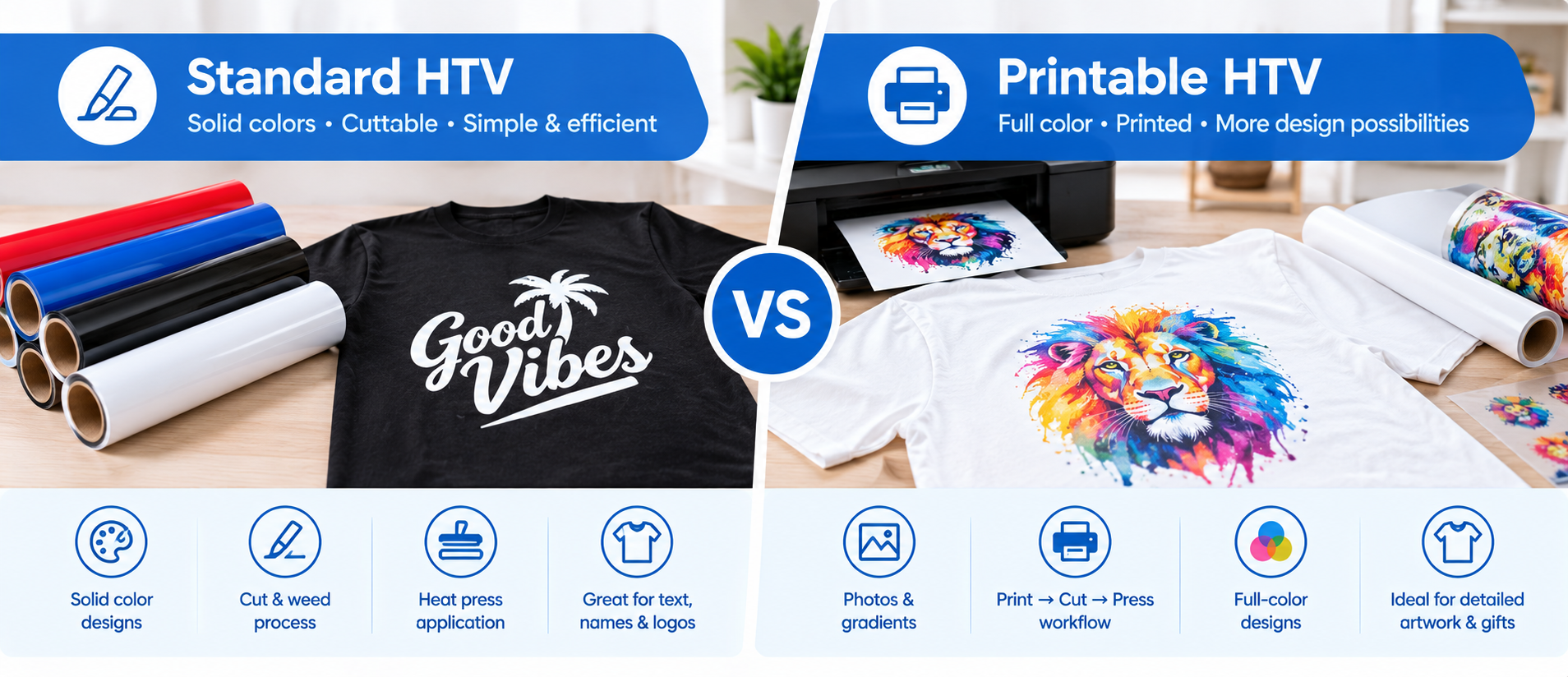
Introduction
If you have ever faced a design featuring gradients, photographs, or up to fifteen colors—and wondered how to get it onto a T-shirt without the hassle of layering fifteen different sheets of standard heat transfer vinyl—our factory is here to help.
- Standard heat transfer vinyl cannot handle this, as it is designed for single-color applications.
- Printable heat transfer vinyl (Printable HTV) can achieve this, yet few people are aware of it.
I have seen craft studios adopt printable HTV, expecting it to completely replace standard HTV, only to discover that it is slower to produce, has a higher cost per print, and offers less room for error (mistakes are difficult to fix). I have also seen hobbyists painstakingly layer six different colors of standard HTV to create a six-color logo, when a single print using printable HTV for fabric would have done the job.
Neither material is inherently superior; each has its own advantages for solving specific problems.
In this guide, I will break down the seven key differences between printable HTV and standard HTV, drawing on both manufacturer specifications and practical production experience.
Note: Our factory produces PU-based heat transfer vinyl. This guide covers printable HTV and standard HTV based on industry standards and real-world application experience.
Quick Answer: Printable HTV vs Standard HTV
| If you need... | Choose |
| Solid-color text or logos | Standard HTV |
| Names and jersey numbers | Standard HTV |
| Fast production | Standard HTV |
| Lowest material cost for simple designs | Standard HTV |
| Photos | Printable HTV |
| Gradients | Printable HTV |
| Detailed full-color artwork | Printable HTV |
| One-off full-color designs | Printable HTV |
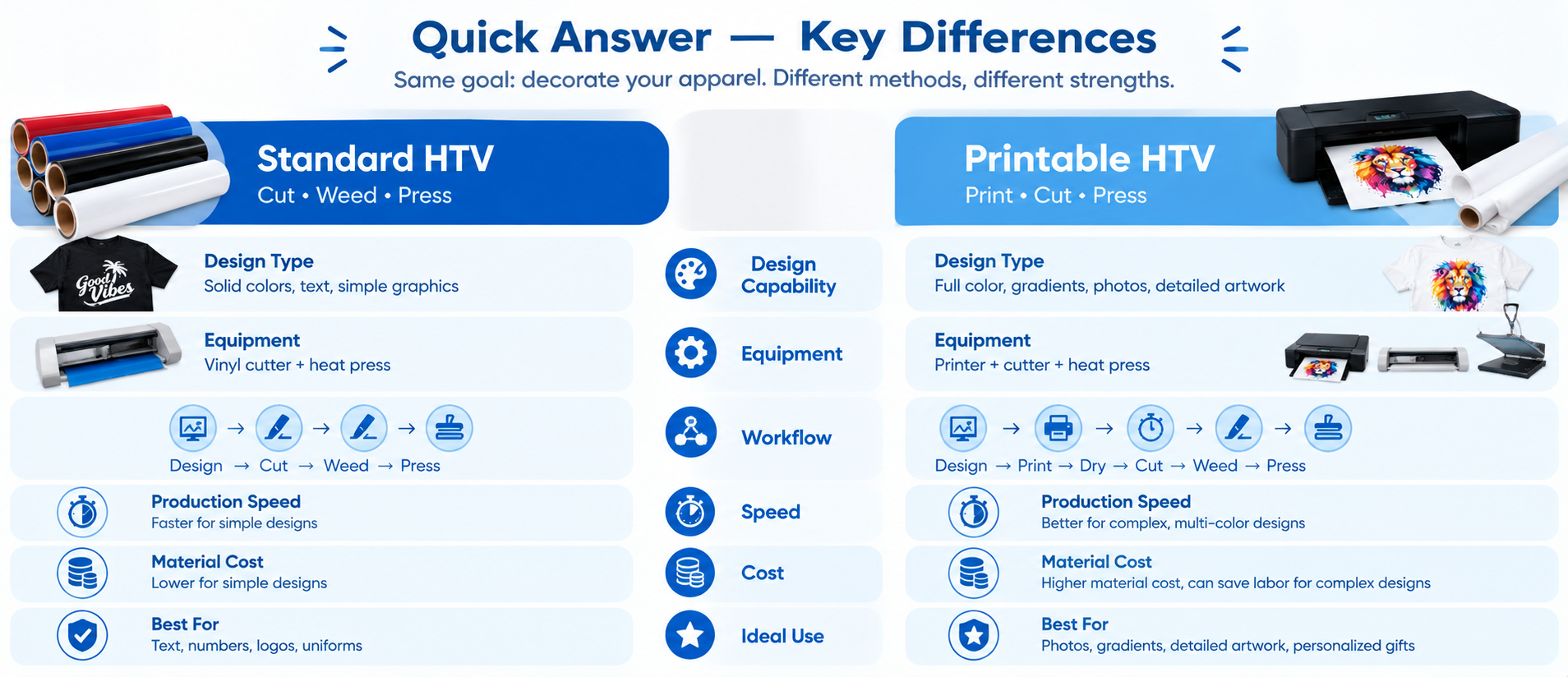
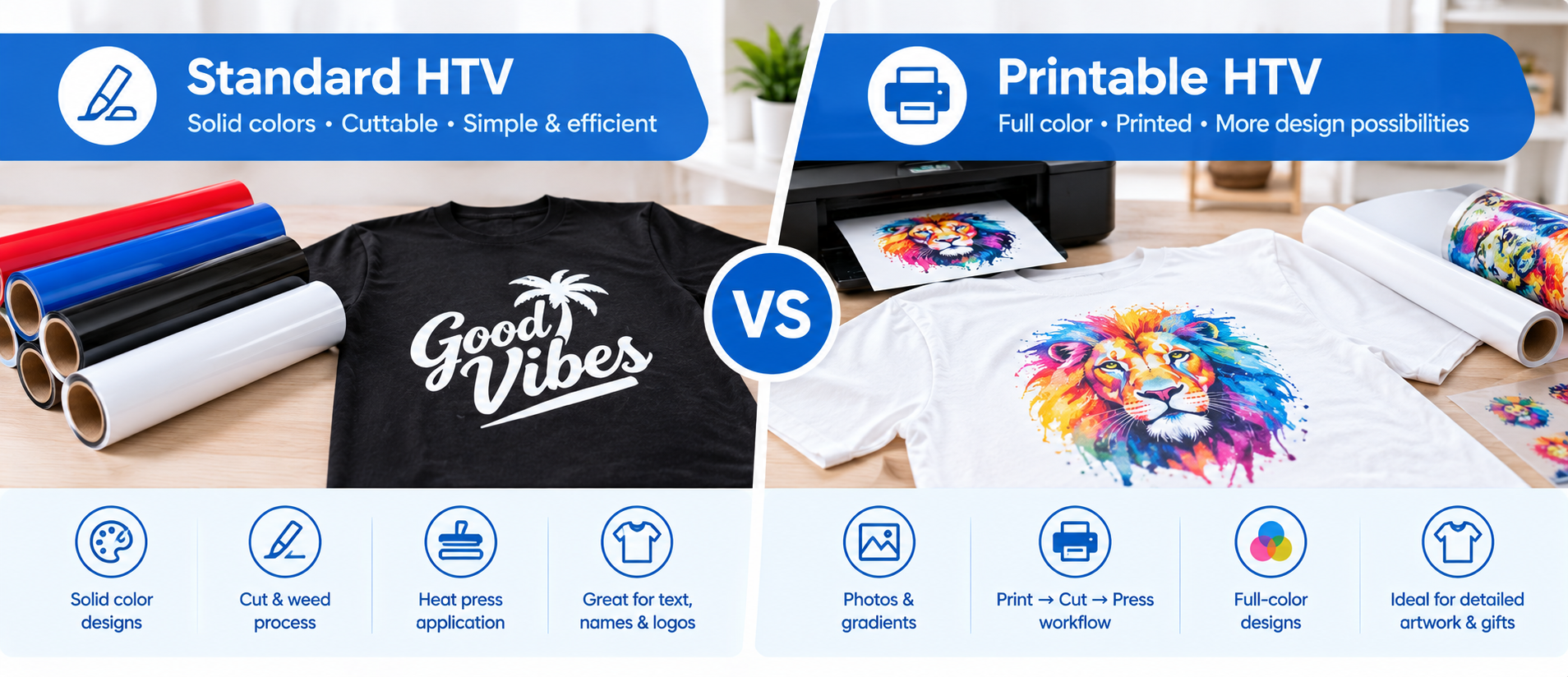
The simple rule: Standard HTV is designed for cutting solid-color vinyl. Printable HTV is designed for printing full-color artwork and then transferring it to fabric.
What is standard Heat Transfer Vinyl (HTV)?
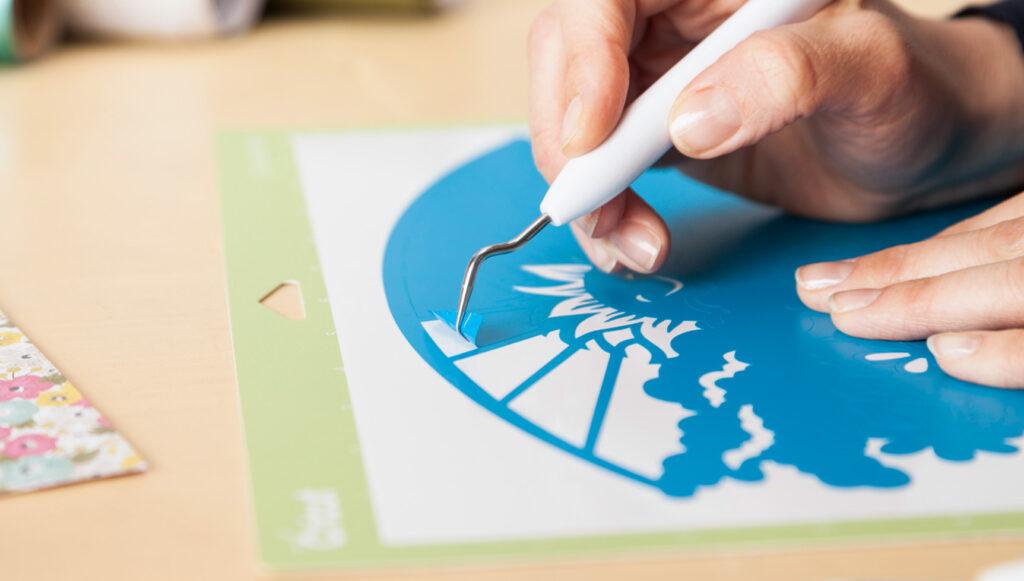
Standard HTV (sometimes referred to as "cuttable HTV" or solid-color vinyl) is a thin polyurethane (PU) or PVC Vinyl featuring a heat-activated adhesive on the back and a clear carrier sheet on the front.
To use it, you cut a design from the HTV using a cutting plotter, weed away the excess material, and then apply heat and pressure to transfer the remaining design onto the fabric. Once the transfer is complete, the carrier sheet is peeled off, leaving only the design permanently bonded to the garment.
HTV for t shirt typically comes in solid colors. If a design involves three colors, three separate layers of material must be cut and transferred. Designs featuring color gradients cannot be achieved with this type of material; gradients require ink-based printing rather than vinyl cutting.
Specific transfer parameters are: temperature of 305°F (150°C), a duration of 10–15 seconds, and medium pressure.
What is Printable Heat Transfer Vinyl (Printable HTV)?
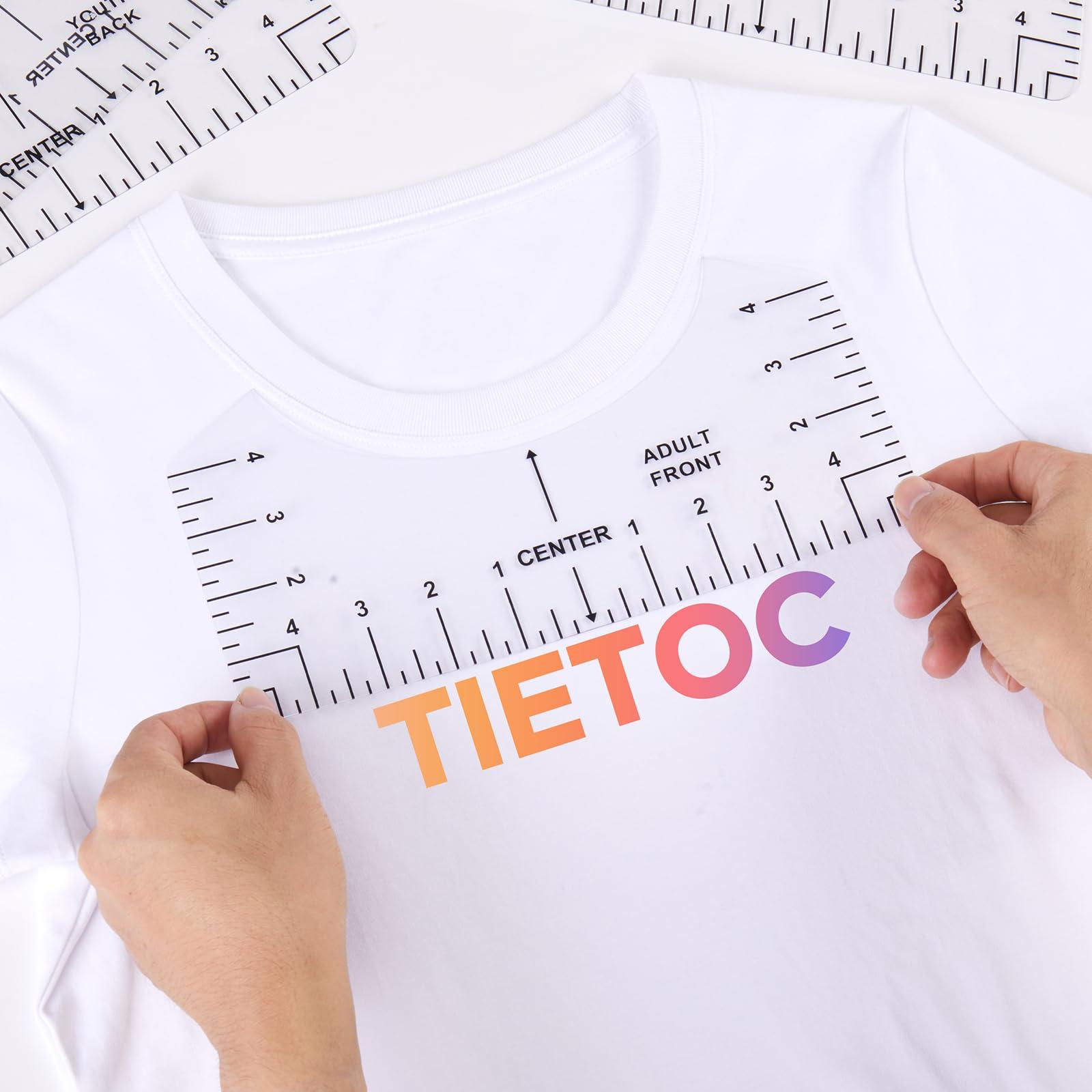
Printable HTV is a polyurethane film featuring a printable coating on the front and a heat-activated adhesive on the back. You can print designs directly onto the coating using a desktop inkjet printer, cut along the design's outline, and then heat-press it onto fabric.
The main differences between Printable HTV and standard HTV are as follows:
- 1. It supports image printing. Standard HTV usually comes in solid colors and requires cutting and weeding (removing excess material); in contrast, Printable HTV allows you to reproduce gradients, photographs, and multi-colored logos on a single sheet of film.
- 2. It requires contour cutting. You must print the design first and then cut along its edges. This means you need a cutting plotter capable of recognizing registration marks, although simple shapes can also be cut out by hand using scissors.
Printable HTV is distinct from sublimation, DTF (Direct to Film) printing, and inkjet heat transfer paper. Its structure consists of the printed design sitting atop the vinyl, with the vinyl film itself adhering to the garment's surface.
It comes in two main versions: a white-base version for dark fabrics and a clear-base version for white or light-colored fabrics. The white base layer effectively masks the underlying fabric color, preventing it from showing through and ensuring the printed colors remain vibrant and bright.
7 Key Differences Between Printable HTV and Standard HTV
1. Design Capability — The Most Important Difference
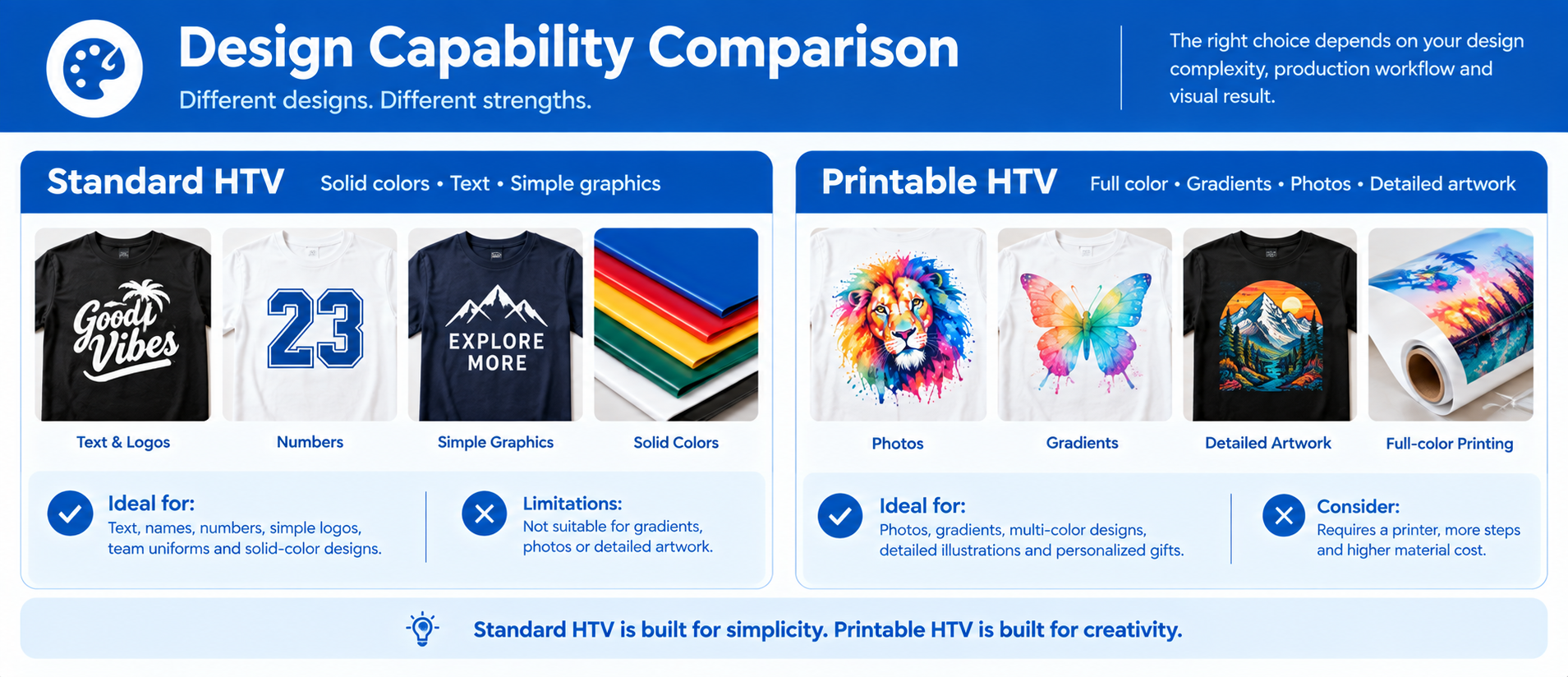
This is the difference that determines whether printable HTV is even an option for your project.
Standard HTV produces solid, single-color designs. Multi-color designs require layering each color separately — a time-consuming process that introduces alignment risk with every additional layer. Gradients and photographs are impossible.
Printable HTV reproduces full-color designs in a single piece. Gradients, photographs, multi-color logos, and detailed artwork all print in one pass through your inkjet printer.
The practical rule: If your design has more than three colors, or if it contains gradients or photographic elements, printable HTV is the only option between these two materials.
2. Equipment and Printer Requirements
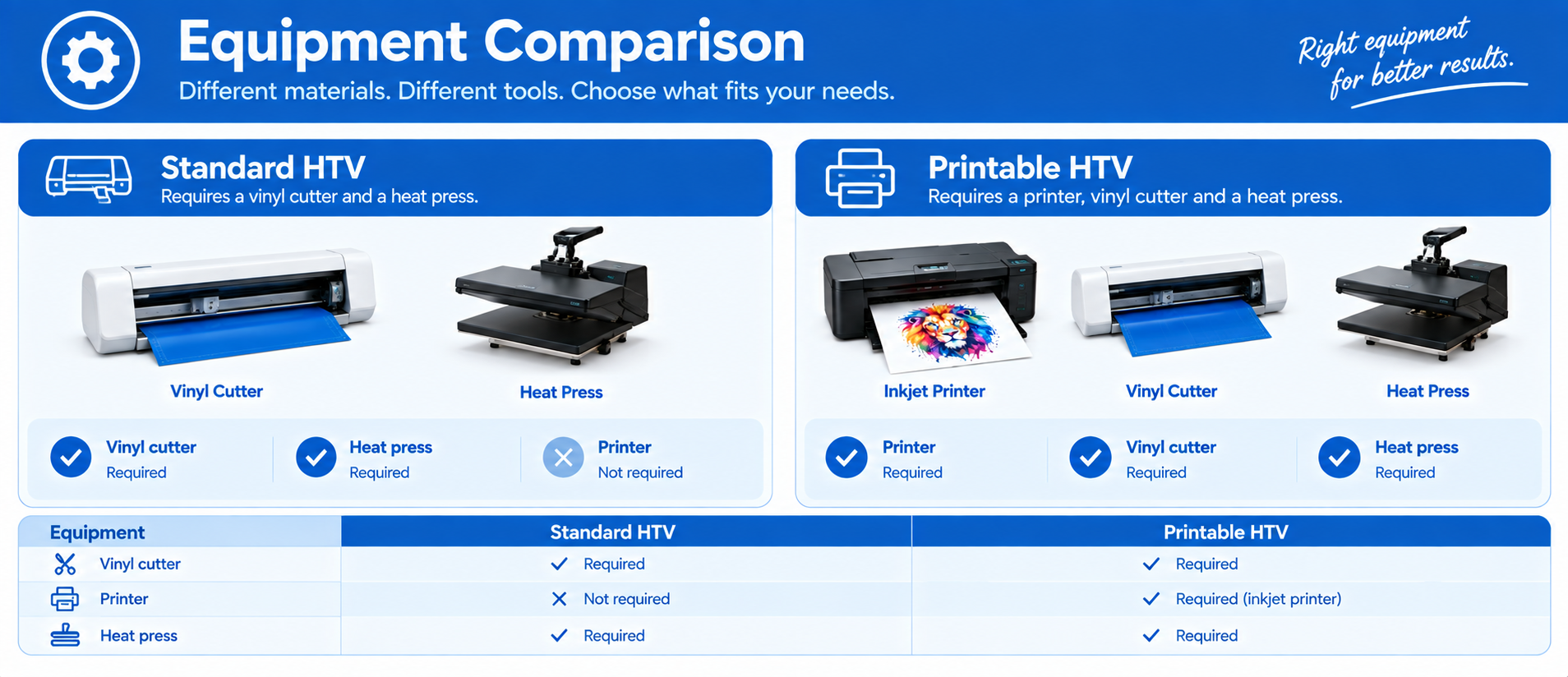
| Equipment | Standard HTV | Printable HTV |
| Vinyl cutter | Required | Required |
| Printer | None | Inkjet printer |
| Heat press | Required | Required |
| Registration marks | Not needed | Required for contour cutting |
- Standard HTV requires only a vinyl cutter and a heat press. No printer, no ink, no design software beyond your cutter's application.
- Printable HTV adds a printer to the workflow. Most printable HTV on the market is designed for desktop inkjet printers using pigment inks, not laser printers. The pigment ink sits on top of the coating and generally holds up better through washes than dye ink.
Our recommendation: If you already own an inkjet printer, printable HTV is accessible. If you do not own one, factor in the cost of a printer before committing to printable HTV.
3. Workflow and Production Speed
The workflows are fundamentally different.
Standard HTV workflow
Design → Mirror → Cut → Weed → Press
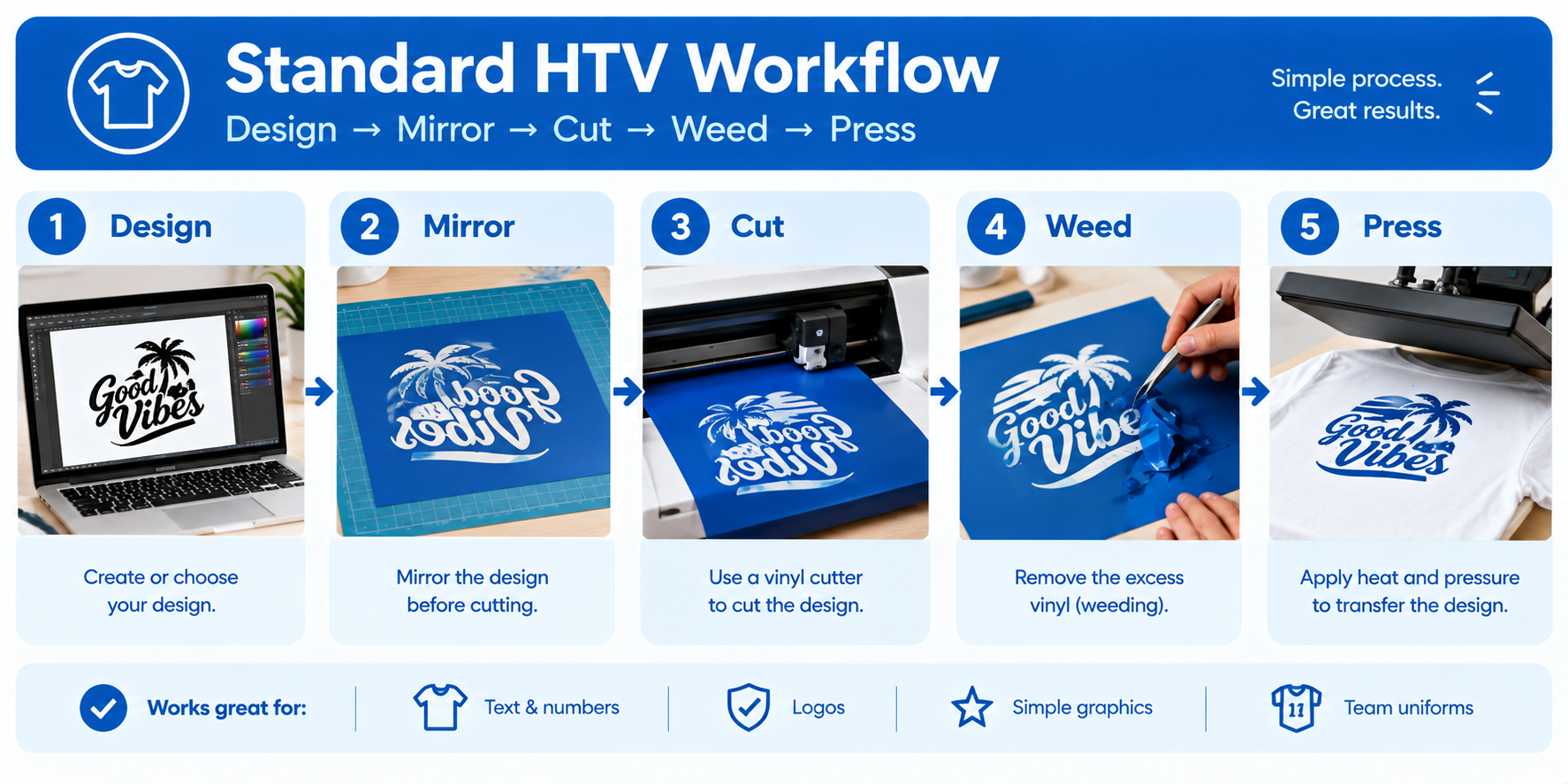
Printable HTV workflow
Design → Print → Dry → Contour Cut → Weed → Press
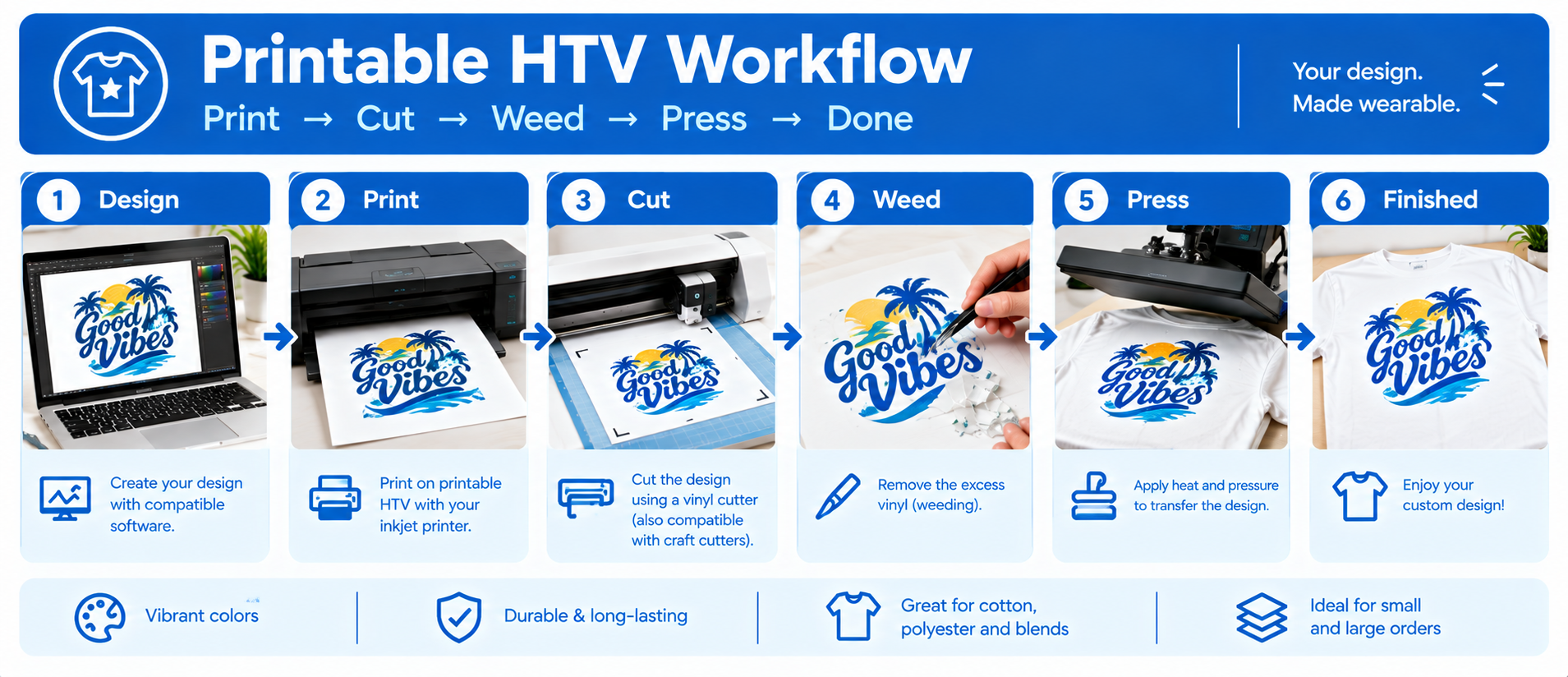
Printable HTV adds printing and drying steps. The print must dry for at least 5–10 minutes before handling, or the ink will smear when you load the sheet into your cutter.
For single-color text or simple logos, standard HTV is faster — you skip printing and drying entirely.
For complex multi-color designs, printable HTV is faster than standard HTV because you avoid layering each color separately. A design with twelve colors that would require twelve layers of standard HTV prints in one pass with printable HTV.
4. Application Settings
The press settings differ slightly between the two materials.
| Setting | Standard HTV (Smooth PU) | Printable HTV |
| Temperature | 305°F (150°C) | 305°F (150°C) |
| Time | 10–15 seconds | 15–20 seconds |
| Pressure | Medium | Medium |
| Peel | Hot or warm | Cold |
Standard smooth HTV typically presses for 10–15 seconds with a hot or warm peel.
Printable HTV presses slightly longer — 15–20 seconds — and requires a cold peel. The longer dwell time ensures the printed ink layer fully transfers and bonds properly.
Always check the manufacturer's spec sheet for your specific brand. These are working ranges, not universal constants.
5. Durability and Washability
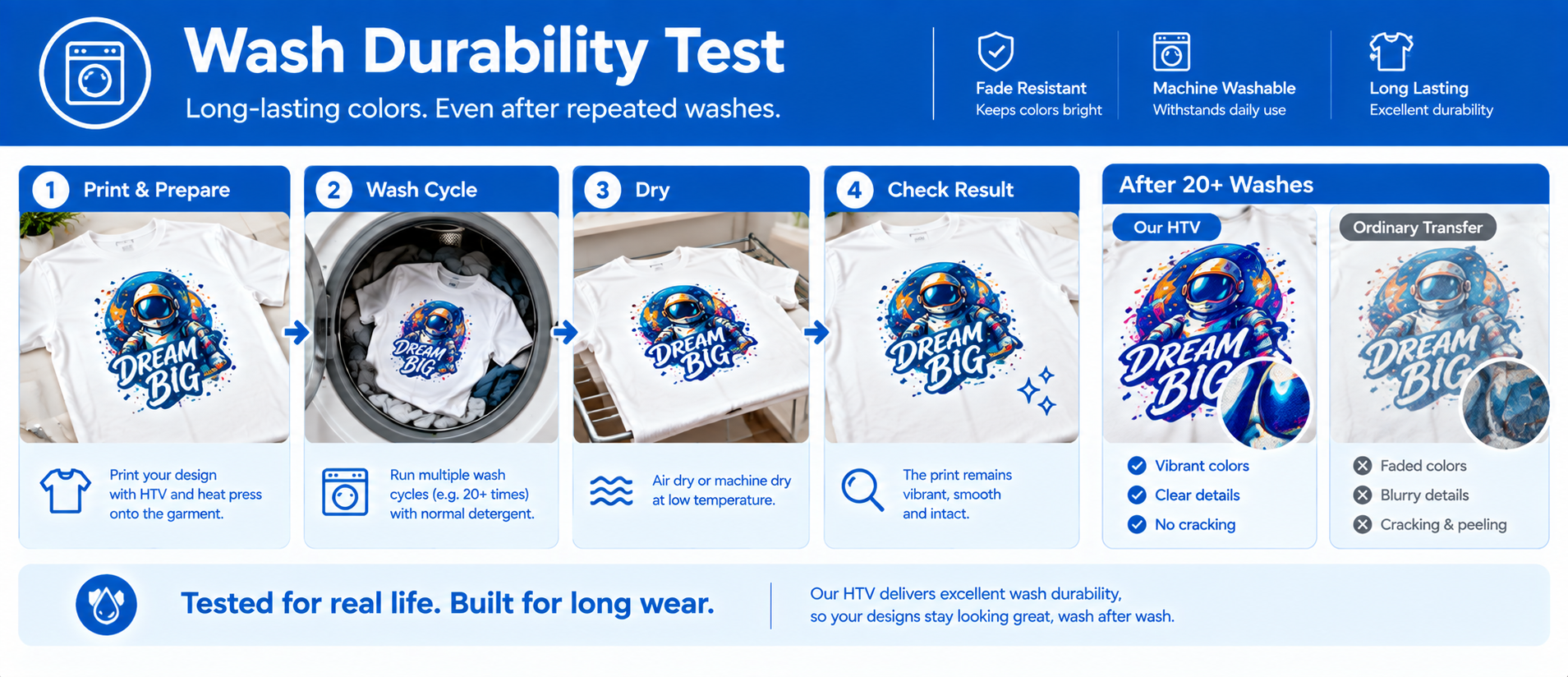
When properly applied, both materials can provide good wash durability. However, durability depends heavily on the specific product, fabric, application conditions, and washing method.
The most common failure modes for both are:
- Insufficient temperature
- Uneven or too-light pressure
- Wrong peel timing
- Washing too soon after pressing
One practical difference: Printable HTV has a print layer on top of the vinyl. Under extreme abrasion or industrial washing conditions, that print layer can degrade faster than the solid-color vinyl beneath it.
Critical for both: Wait 24 hours before the first wash. Wash inside out in cold water. Do not use bleach or fabric softener.
Our PU HTV Test Data
For Our tested PU HTV sample, our internal testing showed:
- 50 wash cycles:92% color retention
- No visible crackingunder the tested conditions
- Elongation:over 200%
- Rebound:over 95%
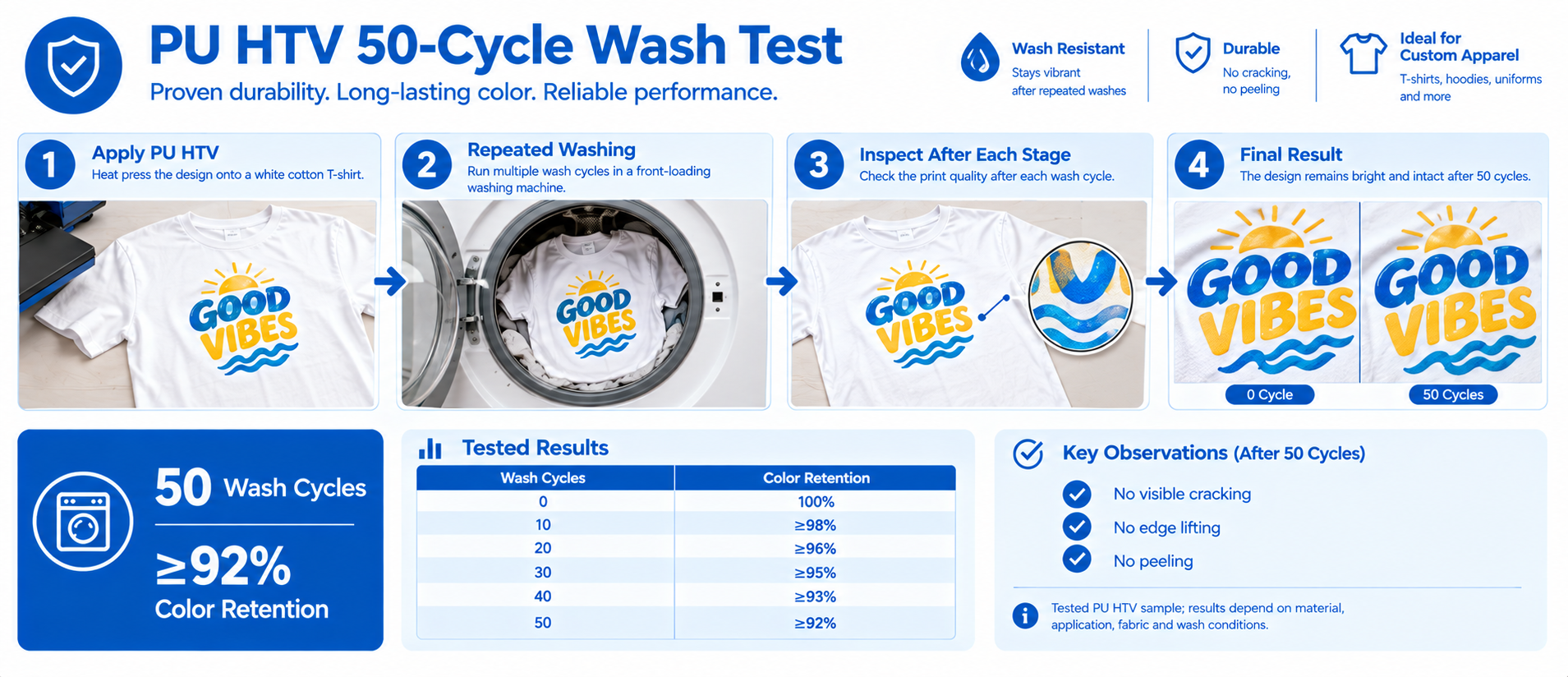
Testing note: These results apply to the tested PU HTV sample and the specified test conditions. They should not be interpreted as universal performance results for every PU HTV or printable HTV Vinyl product.
6. Cost Per Print
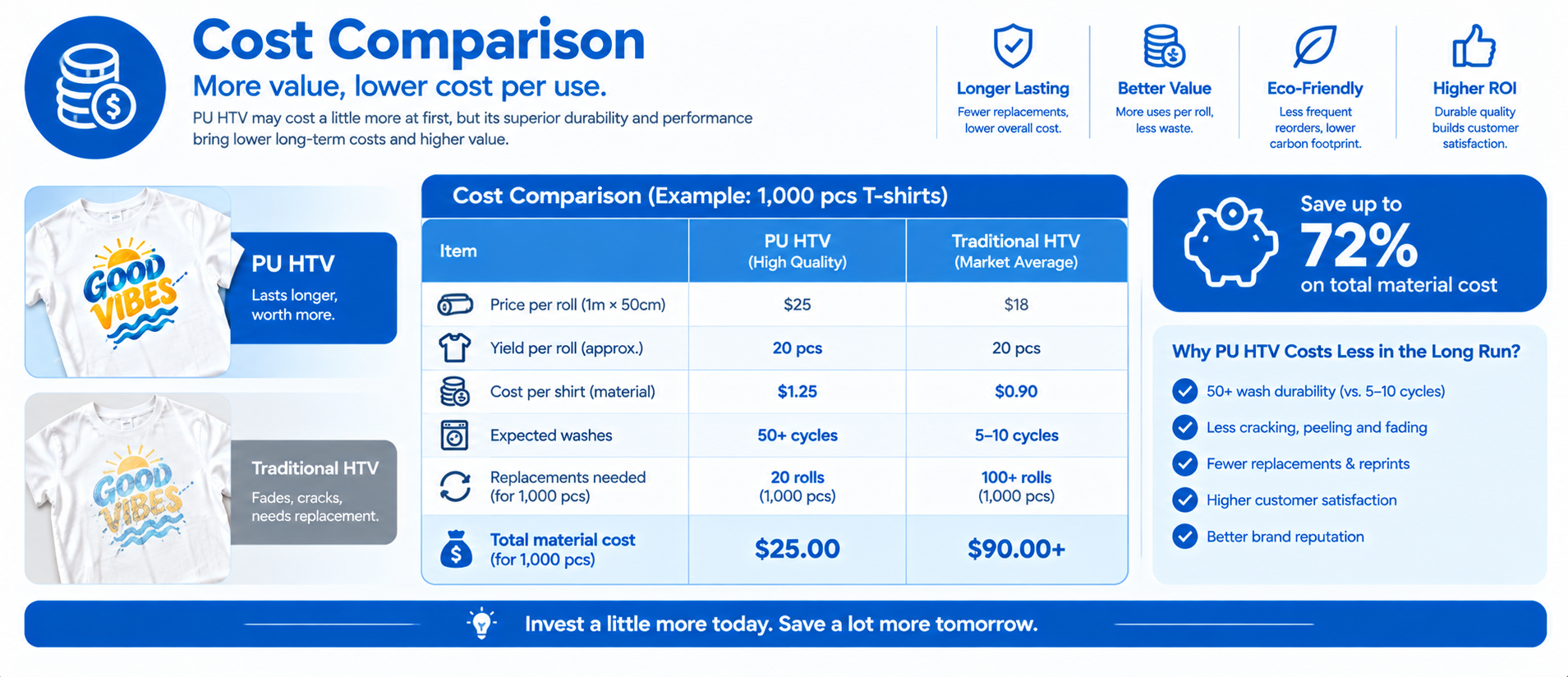
This is where the math gets interesting.
| Cost Factor | Standard HTV | Printable HTV |
| Material cost per sheet | Lower | Higher |
| Ink cost | None | Additional |
| Print head cleaning | None | Occasional |
| Wasted sheets | Low | Higher |
| Setup time for multi-color | High | Low |
- For single-color designs, standard HTV is generally cheaper per print. You use one sheet, one cut, one press.
- For complex multi-color designs, printable HTV can reduce production labor because you avoid layering multiple colors.
The break-even point depends on your labor cost and design complexity. If your time is worth $25 per hour, layering six colors of standard HTV might cost more in labor than the extra material cost of printable HTV.
7. Fabric Compatibility
Both materials work on a wide range of fabrics.
- Standard HTV bonds well to cotton, cotton blends, polyester, canvas, denim, and athletic fabrics. Stretch HTV formulations are available for spandex and performance wear.
- Printable HTV works on cotton, polyester blends, canvas, and denim. Some printable HTV formulations are engineered for challenging fabrics including nylon, leather, and textured textiles.
The practical difference is minimal for many common applications. However, always check the manufacturer's compatibility information for the specific HTV product and fabric.
Printable HTV vs Standard HTV: Complete Comparison
| Feature | Standard HTV | Printable HTV |
| Design type | Solid colors, text, simple logos | Full-color, gradients, photos |
| Printer required | No | Yes |
| Cutter required | Yes | Yes |
| Workflow | Cut → Weed → Press | Print → Dry → Cut → Weed → Press |
| Press temperature | Product-specific | Product-specific |
| Press time | Product-specific | Product-specific |
| Peel method | Product-specific | Product-specific |
| Best for | Text, numbers, simple logos | Photos, gradients, complex artwork |
| Cost | Lower for simple designs | Can reduce labor for complex designs |
Printable HTV vs DTF vs Standard HTV
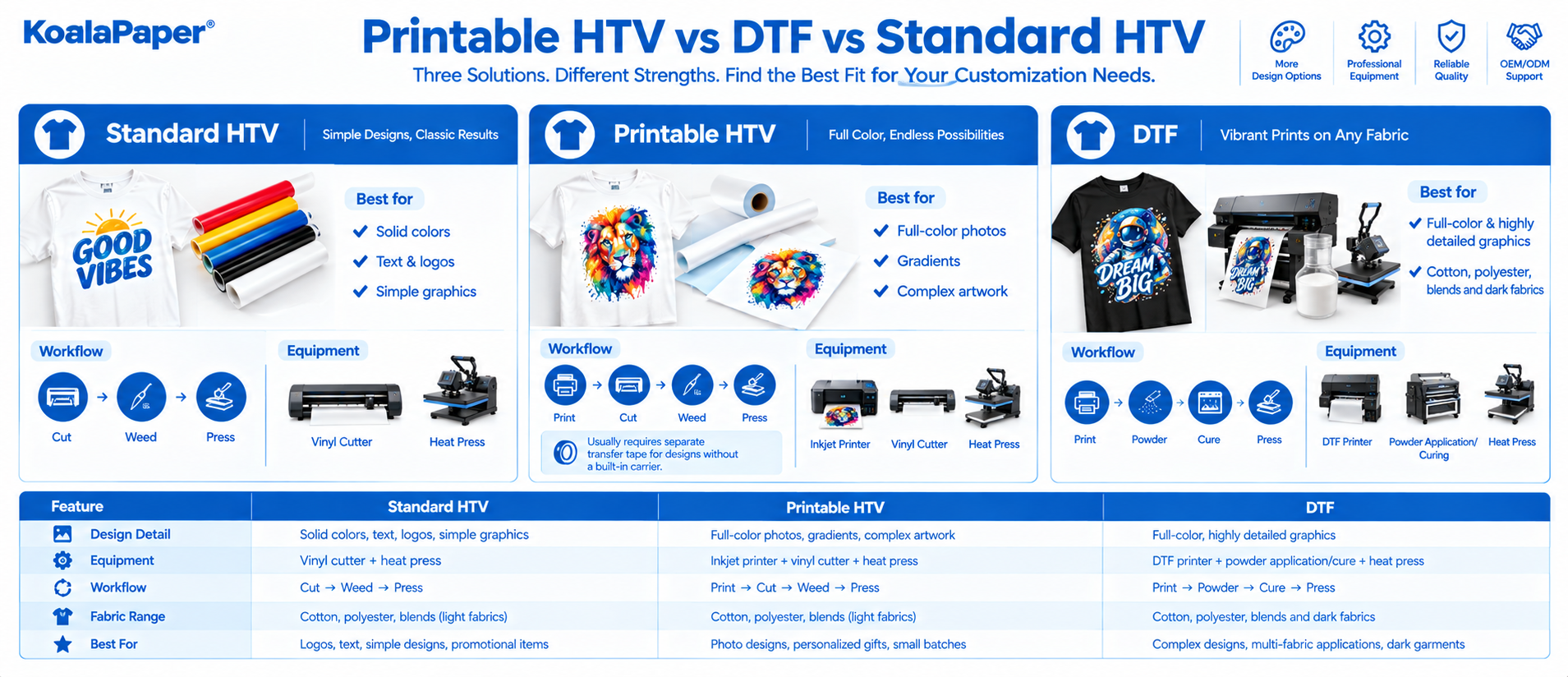
If you are deciding between printing technologies rather than just HTV materials, there is another important comparison to make.
| Feature | Standard HTV | Printable HTV | DTF |
| Full-color printing | No | Yes | Yes |
| Cutting required | Yes | Yes | Usually no final vinyl contour cut |
| Inkjet workflow | No | Yes | No, dedicated DTF system |
| Best suited for | Text & simple graphics | Small-batch full-color HTV | Full-color garment transfers |
| Equipment complexity | Lower | Medium | Higher |
| Typical use | Names, numbers, logos | Photos, gradients, detailed designs | Professional transfer production |
The right choice depends on your equipment, production volume, fabric requirements, and design complexity.
Which One Should You Choose?
Choose Standard HTV If…
- Your design is single-color or simple two-color
- You need fast production for wholesale orders of the same simple design
- You are making team jerseys, numbers, and names
- You do not own an inkjet printer
- Your designs are text-based
- You want a lower material cost for simple designs
Choose Printable HTV If…
- Your design has gradients, photographs, or many colors
- You are making custom gifts with photo-realistic artwork
- You need one-off or small-batch full-color production
- You already own an inkjet printer
- Your designs would require multiple layers of standard HTV
- You are testing a design before committing to a larger production run
The Decision Matrix
| Your Design Has… | Consider |
| 1–2 solid colors | Standard HTV |
| 3 solid colors | Standard HTV or Printable HTV |
| 4+ solid colors | Printable HTV may simplify production |
| Gradients | Printable HTV |
| Photographs | Printable HTV |
| Text/numbers | Standard HTV |
| Complex logo with many colors | Printable HTV |
Summary
Standard heat transfer vinyl (HTV) and printable heat transfer vinyl are not merely competing products; they are designed to meet different production needs.
- Standard HTV is particularly well-suited for solid-color text, numbers, logos, uniform graphics, and designs that benefit from quick cutting and a simple transfer process.
- Printable HTV addresses a different set of requirements: full-color, photographic-quality, or gradient-rich designs, as well as those with intricate details—designs that would otherwise require a cumbersome multi-layer layering process.
The best choice depends on various factors, including design complexity, existing equipment, production scale, labor requirements, fabric type, and specific product technical specifications.
If you are evaluating HTV materials for mass production, OEM projects, or standard garment customization, the most reliable approach is to test both materials using your actual printers, cutters, fabrics, and heat presses to determine which workflow best aligns with your production needs.
Does printable HTV work on dark shirts?
Yes, some printable HTV products are available with an opaque white base designed for dark fabrics.
Can I use standard HTV settings for printable HTV?
Not necessarily. Printable HTV may have different temperature, time, pressure, and peel requirements.
Always follow the manufacturer's technical specifications.
Is printable HTV more durable than heat transfer paper?
Durability depends on the specific products and application conditions. Printable HTV and heat transfer paper use different constructions, so product-specific wash testing is a better basis for comparison than a universal wash-cycle number.
Can I layer printable HTV with standard HTV?
Some products can be combined, but compatibility and heat exposure need to be checked carefully. Follow the manufacturer's layering instructions.